Bake Modes
The bake dialog offers four targets. The choice is the single biggest decision when you bring an object into BOSS, because it determines whether the destruction is reusable, how many variations you can have, and where the cost lands (editor vs. runtime).
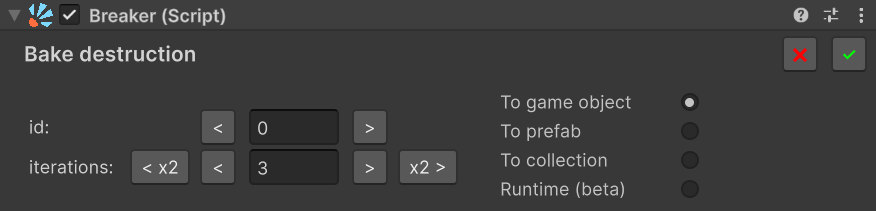
To game object
The broken version is created inside the current scene as a disabled (inactive) child GameObject under the original object. No asset files are written.
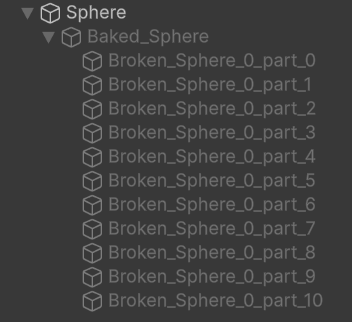
Pros - Fastest iteration loop — bake, play, tweak, re-bake without touching the Project window. - Zero file noise. - Easy to inspect the result in the Hierarchy.
Cons - Not reusable — every other instance of the object would need its own bake. - Lives in the scene file — it adds to the scene's size, and if you use version control (Git), several people editing the same scene can run into conflicts. - Only one shape of destruction — every break looks identical.
Best for: prototyping, one-of-a-kind hero objects, tuning the bake settings before committing to a Prefab/Collection.
To prefab
The broken version is saved as a .prefab asset, plus one mesh asset per shard, into a folder at the path you choose. The Breaker references the prefab through BrokenSourcePrefab.
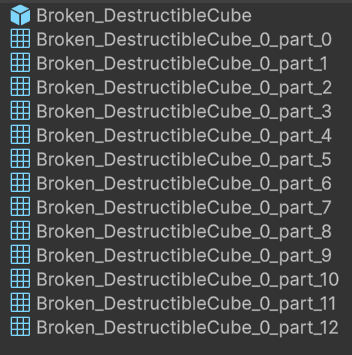
Pros - Reusable across any number of instances. - Plays nicely with version control. - Single source of truth — change the prefab, everyone updates. - Hand-editable — open the prefab and move, delete, or re-material individual shards, add components, and so on.
Cons - One shape of destruction. Every break looks identical.
Best for: most production cases — small to medium games, simple variety, recurring breakables where one good shatter pattern is enough.
To collection
Multiple variations are baked — each as its own prefab with its shard meshes, exactly like To prefab — and gathered into one BrokenObjectCollection asset that references them all. The Breaker picks one at random on each Break().
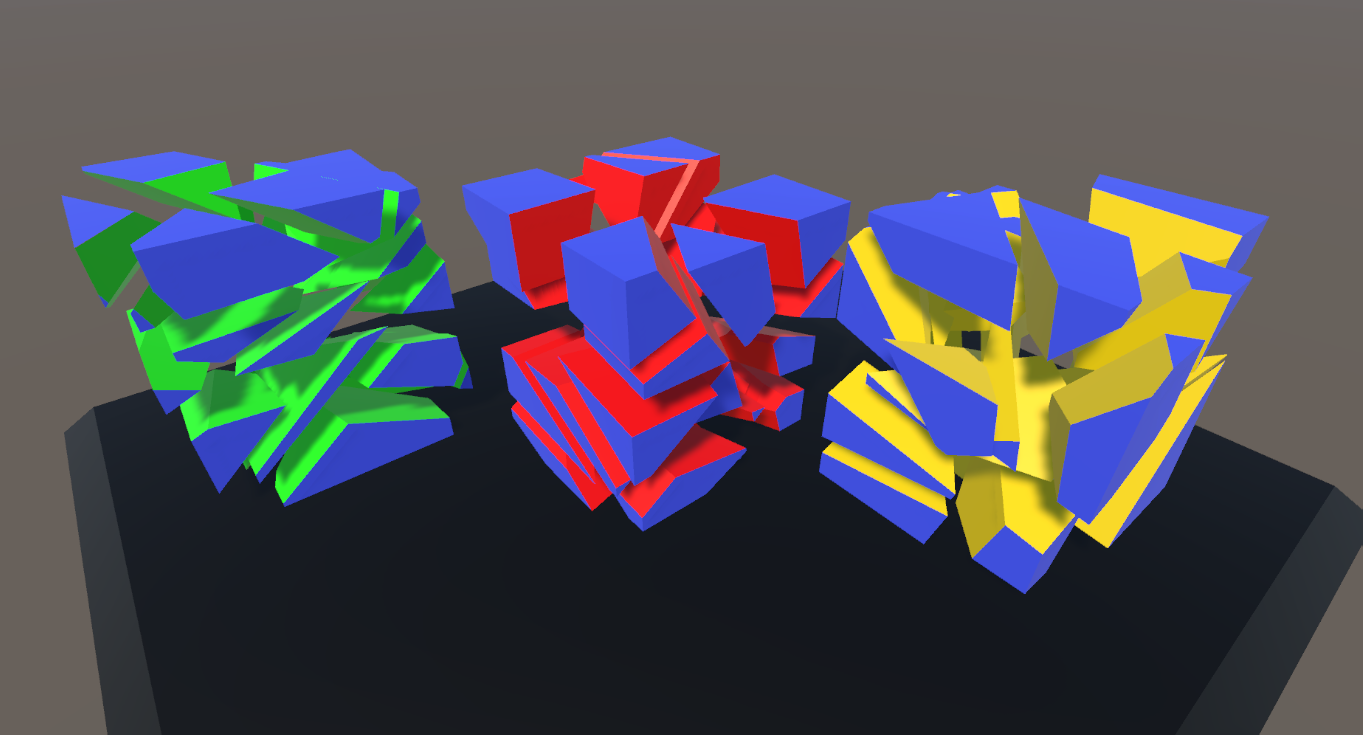
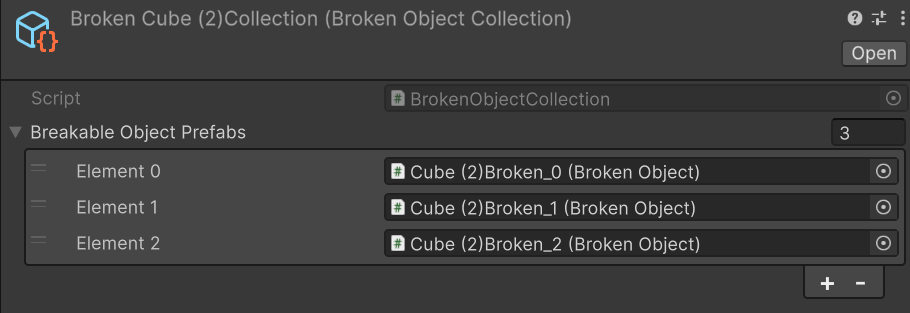
Pros
- Visual variety per hit — players see different shard layouts even when breaking the same prefab repeatedly.
- Supports object pooling for high-frequency destruction (enable Use pools on the collection asset).
- One asset reference, many shapes inside.
- Every variation stays hand-editable — open it up to tweak a specific shard layout.
Cons - Larger asset size — you store N variations instead of one. - A bit more setup, and a slightly higher learning curve than a single prefab.
Best for: production-grade scenes with many identical breakables (crates, glass panes, pots) where repetition would be noticeable.
Runtime (beta)
No pre-baked shards at all. The mesh is sliced live on every Break() call using BreakerRuntimeSettings.
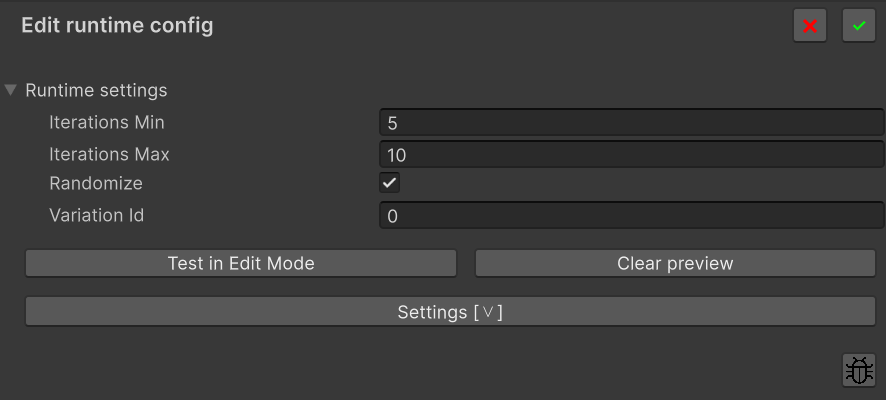
Pros
- Works on procedurally generated meshes that don't exist at editor time.
- No prefabs, no collections — zero asset footprint.
- Each break can be unique (Randomize = true) or deterministic (Randomize = false + a fixed Variation Id).
Cons
- Non-trivial per-break CPU cost — fracturing happens at the moment of the break.
- Not recommended for mobile, VR, or scenes with many simultaneous breaks.
- Not hand-editable — shards are generated live, so you can't tweak the result by hand.
- Unpredictable visuals — procedural slicing isn't always perfect on every mesh, and you can't preview or cherry-pick a clean id the way you can with baked modes. Occasional artefacts have to be lived with.
- Marked beta — APIs and behaviour may evolve.
Best for: prototypes, low-frequency runtime-generated geometry, debug tools, and cases where the mesh genuinely is not knowable at edit time.
Quick comparison
| GameObject | Prefab | Collection | Runtime (beta) | |
|---|---|---|---|---|
| Reusable across instances | ❌ | ✅ | ✅ | ❌ |
| Variety per break | ❌ | ❌ | ✅ | ✅ |
| Pooling support | ❌ | ❌ | ✅ | ❌ |
| Hand-editable result | ✅ | ✅ | ✅ | ❌ |
| Setup complexity | low | low | medium | low |
Runtime cost per Break() |
low | low | low | high (live slicing) |
| Asset files produced | none | one prefab + one mesh asset per shard | one collection asset + N prefabs + one mesh asset per shard in each | none |
| Recommended for | prototyping | small/medium production | high-volume production | procedural meshes, prototypes |
Clearing and re-baking
After baking, a Clear destruction button appears, and the bake button changes its label based on the Target (Edit destruction / Bake new / Add new / Edit runtime config).
Edit destruction
Reopens the Bake dialog with the parameters you used last time — same iterations, id, Target, surface settings, everything. Tweak whatever you need and confirm; the result replaces the previous bake. For To prefab and To collection the Remove previous prefab toggle becomes visible, so you can overwrite the existing asset in place instead of accumulating Foo, Foo 1, Foo 2, …
Use Edit when you want to iterate on the same bake without losing your settings.
Clear destruction
Drops the Broken Source reference on the Breaker.
To game object— also removes the disabled child GameObject from the scene. Nothing is on disk, nothing to follow up on.To prefab/To collection— a confirmation dialog opens with a choice: clear only the reference (leaves the.prefab/BrokenObjectCollectionfiles in place for reuse later) or also delete the corresponding asset files on disk. The dialog makes the trade-off explicit, so you don't have to remember to clean up by hand.
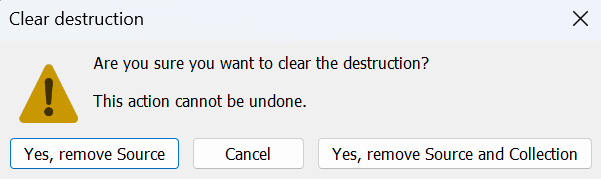
Use Clear when you want to start over from scratch, change Target mode, or remove the bake entirely.
Switching modes after the first bake
Press Clear destruction first, then Bake destruction again with the new Target.